Analysis of a press release · chapter 3 of 6
Areas of interest
Where in the company's world we would look for those facts — statements, periods, plans. The gestures repeat; watch what repeats with them, and what does not.
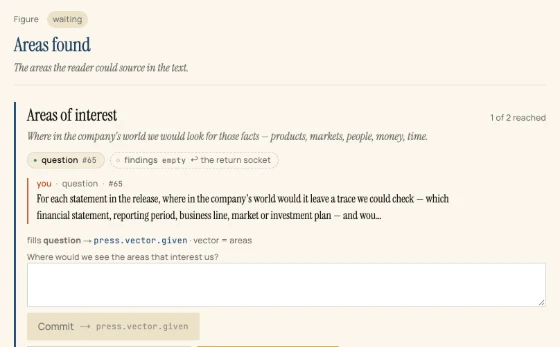 Step 6 of 19Areas of interest: ask where to lookSelect Areas found, type your question into its card and press Commit.
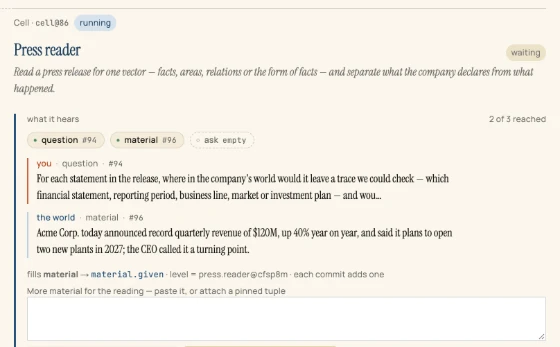 Step 7 of 19Areas of interest: open a second CellPress Open a Cell → findings, choose Press reader, and press Open the Cell.
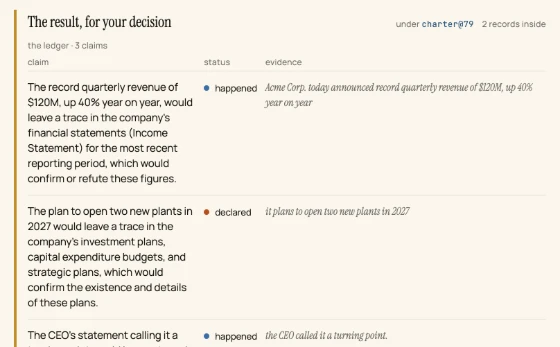 Step 8 of 19Areas of interest: ask the worldPress the gold button Ask the world in the second Cell.
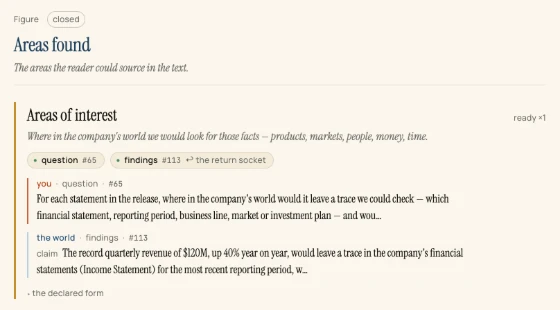 Step 9 of 19Areas of interest: attest the resultRead the ledger, then press Attest · accept.
What this chapter reaches
3 findings that name where each statement of the release would leave a trace that can be checked — financial statements, investment plans, transcripts — published as press.areas.found, #115.