Step 3 of 19 · Facts of interest · 2 of 4 · screen 1 of 4
Facts of interest: open a Cell for the reading
What you do now
Press Open a Cell → findings, choose Press reader, and press Open the Cell.
On the empty findings slot you press Open a Cell. A list of readers unfolds; you choose Press reader and press Open the Cell. The surface moves to the Sheet, where the new Cell stands with your question and the release already inside.
So far
Step 2 reached: One record, #17: your question, in your words. The card shows 1 of 2 reached — the question is in, the findings that will answer it are not.
Why now
The reading will be done by a language model, and a model's work should be fenced and judged. A Cell is that fence: a small working space with a written purpose — its charter — a budget, a fixed list of what it may hear, and one exit: a result that counts only once you accept it.
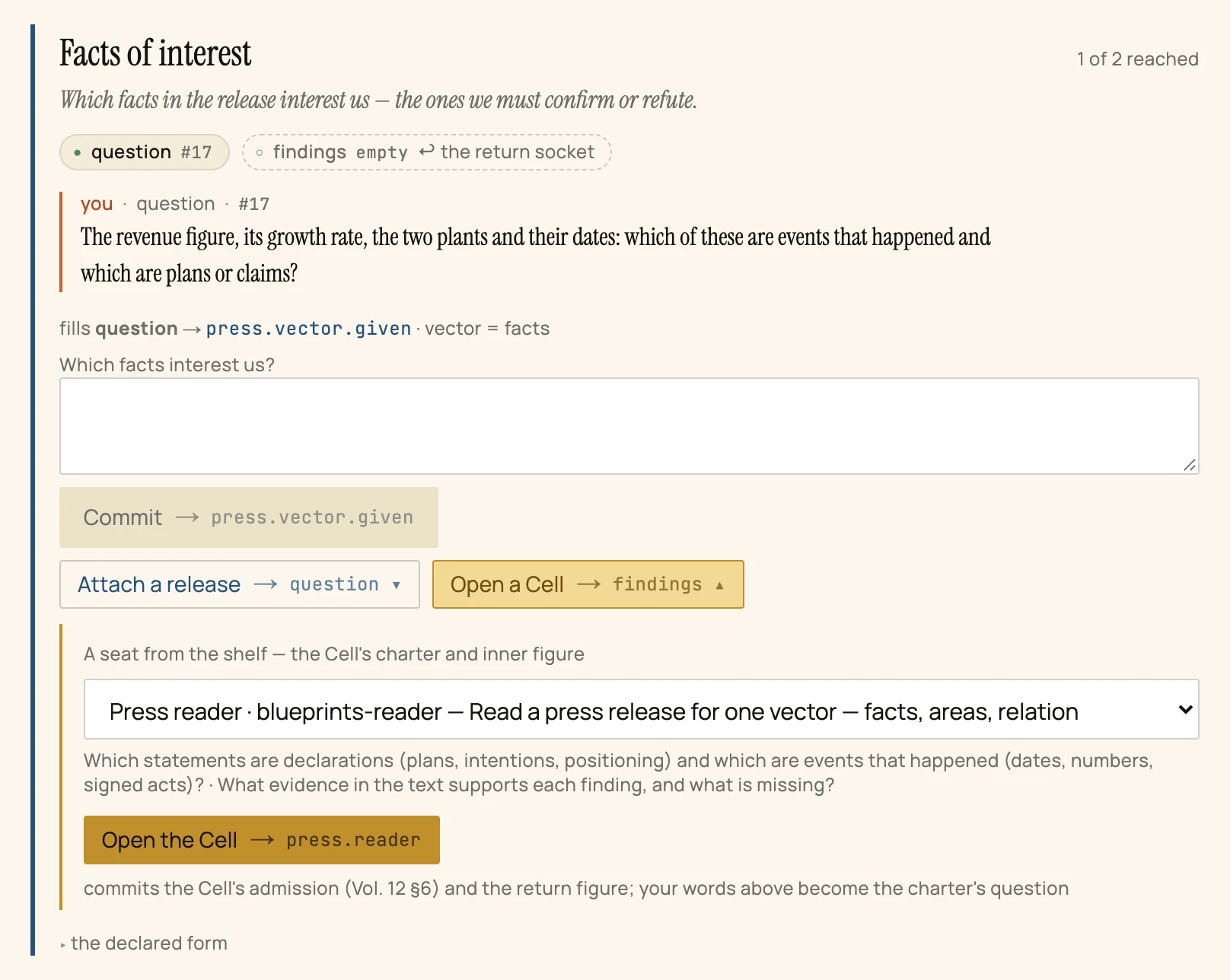
- Open a Cell → findings is offered on the empty slot — a Cell is how that slot gets filled.
- A seat from the shelf. The readers this machine knows; under the list, the two questions the chosen reader's work will be judged on.
- Open the Cell →
press.reader. Its note says what it commits: the Cell's admission and its way back — and that your words become the charter's question.